Schedule
Appointments
There was no calendar here before this — the appointments screen was the order list, relabelled. This is a grid that places bookings by time, warns about a clash before it happens, and knows when the business is shut.
A diary, not a list of orders wearing a costume
Everything below reads the same booking every other screen writes — the till, the front desk and a client booking directly.
A calendar with staff columns
Day and week views place every booking by time in a column per staff member, and two bookings that overlap the same person are shown side by side rather than one hiding the other — which matters, because double-booking is allowed by default.
Every booking gets a real end
Length comes from the specific variation booked, then the service, then a prep-time figure, and only falls back to sixty minutes when none of those exist — marked with a tilde on the grid, so a guess is never shown as a known figure. That end is what makes the calendar possible to draw and a clash possible to detect at all.
Double-booking is your setting, not ours
Allowed by default, matching how many businesses already run. Switch it off and a second booking for the same staff member at an overlapping time is refused as it's made — checked from the front desk and on the till. It will not unwind a booking that already went through: once a slot is taken, a real appointment is never reversed to enforce the rule after the fact.
Leave and holidays, shown before you book over them
Approved leave, company holidays and a branch's own holidays now show as a warning when you book over them. Never a block — a salon genuinely covers a colleague or opens for a bride on a public holiday, and the point is to stop that happening by accident, not to stop it happening.
Honest about hours
The grid widens itself to show a booking taken outside the stated hours rather than hide it, and a day the branch is shut is drawn visibly shut — not left blank, which would look exactly like an open day with nothing booked.
Reminders that reach an inbox
A reminder the day before, and a thank-you once staff mark the visit complete, go out by email regardless of which screen the appointment was booked on. A booking made or managed through the client booking API is emailed at each of those steps too — the confirmation, a reschedule, a cancellation. One taken at the front desk is not confirmed by email today.
Book from the desk, not just the chair
A receptionist can put a future-dated appointment straight into the diary: service, variation, staff, room and time, with a live warning if it clashes — before it is saved, not after.
Clients can book themselves, with the limits stated
A booking API resolves price and length on the server, never from what the browser sends, and re-checks an applied offer or package against the real rules rather than trusting a cached figure. The appointment is created payment-pending, the same as one taken at the counter; where online payment is switched on for the business, the customer can pay through IMBeautyGlow (PayFast) and the booking reaches the till marked paid.
The diary, not the order list wearing a costume
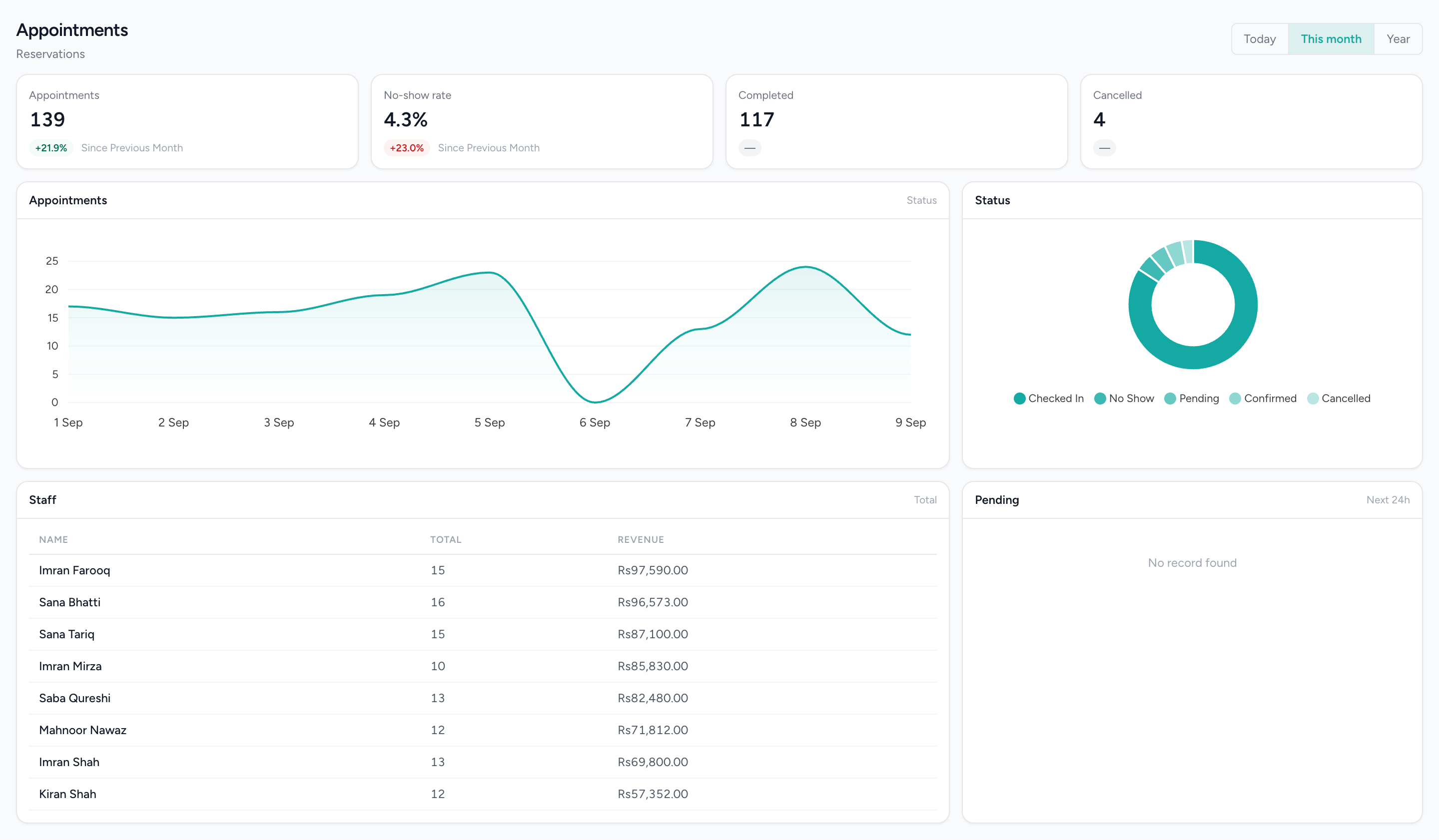
Bookings placed by time in a column per staff member, side by side where two overlap, with each one carrying a real length instead of a guess.
Questions people actually ask.
The answers a decision-maker needs before booking a demo.
Can clients book appointments online with IMFlow360?
Yes, for beauty and wellness businesses. Clients book through IMBeautyGlow, the online booking site connected to IMFlow360: they choose a service and a time, the booking appears in your IMFlow360 diary, and they receive an email confirmation. If you switch on online payment, they pay the full amount through PayFast (cards and wallets such as JazzCash and Easypaisa); otherwise they pay at the salon.
Can IMFlow360 stop a stylist from being double-booked?
Yes. Turn off the "allow double booking" setting and IMFlow360 won't book the same staff member for overlapping times — at the front desk, online or on the till. Double-booking is allowed by default because many salons work that way. Two bookings made at exactly the same moment on different devices can still overlap, so a quick check is worthwhile.
Does IMFlow360 know when staff are on leave?
Yes, for approved leave and public holidays. When you book at the front desk, IMFlow360 warns you if the staff member is on leave or it's a holiday (you can still go ahead), and online booking doesn't offer those times. The till doesn't check leave yet, and there's no forward staff rota.
Does IMFlow360 send appointment reminders by SMS or WhatsApp?
Not yet. IMFlow360 sends appointment reminders by email: every client with an email address receives a reminder about 24 hours before and a thank-you after the visit. Clients who book online through IMBeautyGlow also receive an email confirmation; bookings made at the front desk or on the till don't send one yet.
Can reception take a deposit when booking an appointment?
Yes, on the IMFlow360 till: the booking screens let you collect a deposit before the appointment is saved, and the balance is paid after the service. Bookings made on the web booking form in your dashboard are saved unpaid and settled at the counter when the client arrives.
How does IMFlow360 know how long an appointment takes?
From your services. Set a duration on each service, or on each variation such as short or long hair, and every booking gets the right length in the diary. If a service has no duration yet, IMFlow360 shows it as 60 minutes, marked with a ~ so you know it's an estimate.
Can clients reschedule or cancel their own appointments online?
Not yet. Online self-service changes aren't available on IMBeautyGlow today, so clients contact the salon and your team reschedules or cancels the booking in IMFlow360.
Used in these solutions
- Appointment-to-PaymentFrom the booking to the drawer without re-typing the customer once.Read more
- Front Desk & Walk-InsWalk-ins and bookings on one board, with who is free visible from the desk.Read more
- Workforce OperationsRota, attendance, leave and payroll in the system that already knows who sold what.Read more
Popular with
- Hair SalonsBuilt around the chair — stylists, colour services and the client who asks for one by name.Read more
- Spas & WellnessRooms and therapists booked as one, with prepaid courses on the customer record.Read more
- Aesthetic ClinicsCourses of treatment across several visits, with the room and the practitioner booked together.Read more
- DentalThe business side of a practice: the diary, the front desk and the books — not the charting.Read more
Related capabilities
- CustomersOne record per customer: every visit, order, package and rating against it.Read more
- HR & PayrollRoles, shifts, attendance, leave, documents, hiring and payroll runs.Read more
- Point of SaleOffline-capable tills that cluster over your own network, with drawer control and PIN-gated voids.Read more
Stop running the diary out of a phone propped against the till.
We will show you the module on a real dataset and tell you plainly what it does not do yet. Email sales@imflow360.com or book a walkthrough.