The business side of a dental practice
A practice is a diary, a front desk, a till and a set of books that have usually never met. IMFlow360 runs those four as one system, and stays out of the surgery: it holds the patient as a customer record, not a chart.
What goes wrong in a practice that is run from four places
The diary and the till have never met
The appointment lives in a diary, the patient in a phone list, and the payment on a till or in a receipt book. The receptionist reads a name off one screen and types it into the next, and a mobile number typed slightly differently becomes a second patient.
A course of treatment is paid in pieces
A deposit at the first visit, a part payment at the second, the balance at the last — and the running figure is on a card in a drawer. Asked what a patient still owes, the desk adds it up from memory.
Two patients, one dentist, one time
A double-booking is discovered when both are in the waiting room. Leave agreed in a corridor never reached the diary, so a patient is booked with someone who is not coming in.
Reminders are a phone round
Somebody rings tomorrow's list every afternoon, and the ones they could not reach are the ones who do not turn up.
The month closes on a shoebox
Takings summaries and supplier bills go to an accountant at month end, who rebuilds what happened. Any question about last quarter takes a week to answer.
Where IMFlow360 fits a dental practice
IMFlow360 runs the operational side of an appointment-based practice: the diary with a column per dentist and hygienist, the front desk that takes the walk-in and the follow-up, the checkout that records how each visit was paid, the statement that shows what a patient still owes, and a general ledger the accountant can work in. Every one of those reads the same patient record, so a name is typed once.
It is deliberately not a clinical system. There is no charting, no treatment notes, no X-ray store and no medical history — the patient is held as a customer record with contact details, visit history, invoices and payments against it. Clinical record-keeping stays in whatever the practice uses for it today, and IMFlow360 makes no compliance claim of any kind.
The practice manager gets the team on the same system: who clocked in on the till this morning, leave requests waiting for approval, a payroll run built from attendance, and a report of takings by clinician that is attribution, not commission.
A day at the practice on IMFlow360
From the reminder that went out last night to the drawer counted at close, each step names the part of the platform that does it.
- Step 1
The reminders have already gone
The day-before reminder went to each patient by email from Appointments, whichever screen the booking was taken on. Nothing to ring round; the list is in the inbox.
Appointments - Step 2
Open the diary
The day view in Appointments places every booking by time in a column per dentist and hygienist, each with a real end because the service has a duration. Approved leave and a public holiday show as a warning on the day, not a surprise at nine o'clock.
Appointments - Step 3
Take the emergency at the desk
A patient in pain with no booking goes through the till's booking wizard in Point of Sale: found in the patient book on the device or created once, with a mobile number, and assigned to the clinician with a gap in their column. With double-booking switched off, the till refuses a slot that person already has.
Appointments - Step 4
See the visit through
Each service on the visit carries the person who did it — the hygienist for the scale, the dentist for the check — so the day's report by clinician is read from the record rather than reconstructed.
Analytics & Reporting - Step 5
Check out, the way the patient is paying
A visit settled on the spot is recorded in Point of Sale — cash, or a card taken on the practice's own machine, each as its own line, with the receipt on screen. A course paid over several visits is a sale invoice in Sales & Invoicing, with each payment received allocated against it as it comes in.
Sales & Invoicing - Step 6
Book the follow-up before they leave
The receptionist puts the next appointment straight into Appointments from the front desk — service, dentist, room and time — with a live clash warning as the form is filled in.
Appointments - Step 7
Know who still owes
The Customer Statement of Account and Aged Receivables in Sales & Invoicing read from the ledger, so what a patient owes across a course is one figure, not a card in a drawer. Chasing is still a person's job; the person knows who to call.
Sales & Invoicing - Step 8
Close the day and let the books follow
The drawer is counted against the expected figure in Point of Sale, with the variance shown. The invoices, cash invoices and payments received have already posted to Accounting & Finance; posting the till's own sales is switched on per business.
Sales & Invoicing
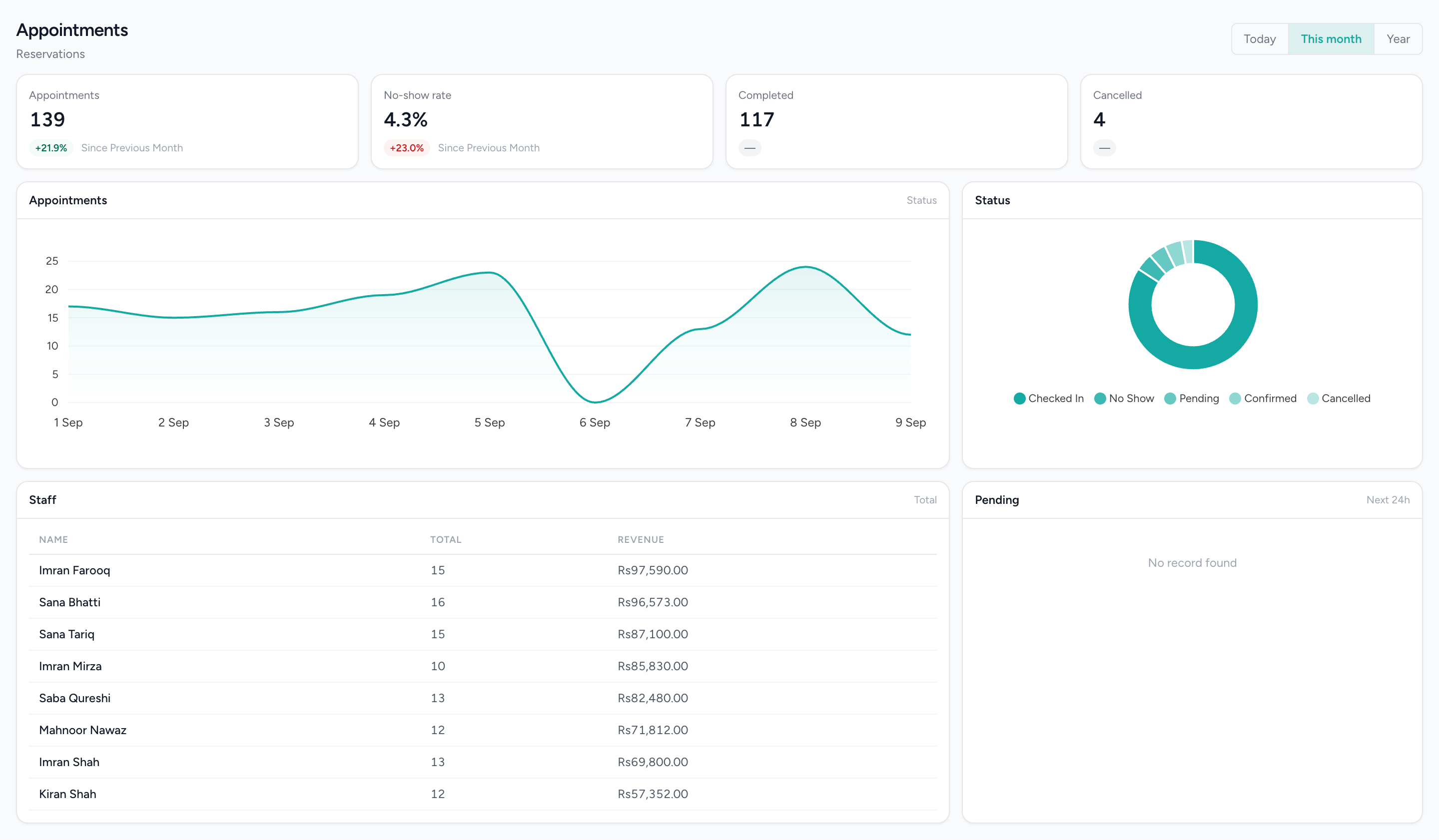
The practice day, by chair and by dentist
Columns per practitioner, blocks by time and status, and the hours the practice is open — the front desk’s view, not a chart.
Who uses it, and for what
The principal
Takings by clinician and by day, who still owes the practice, and a profit and loss the accountant did not have to rebuild — from the same records the desk wrote during the day.
The front desk
One diary with a column per clinician, the walk-in taken as a booking on the till, the follow-up booked with a clash warning before it is saved, and the patient looked up once rather than retyped.
The practice manager
Who clocked in this morning, leave requests waiting in the approval queue, the hours report against the practice's own schedule, and a payroll run built from attendance rather than from memory.
The accountant
A double-entry ledger with a seeded chart of accounts, invoices and payments that have already posted, statements and aging by patient, and a named permission for the ledger and nothing else.
What runs today
Everything in this section can be shown on a live system today.
A diary with a column per clinician
Day and week views, a real duration on every booking, a double-booking rule you switch on, and approved leave and holidays shown as a warning before you book over them.
Reminders by email
A reminder the day before and a thank-you once the visit is marked complete, sent by email regardless of which screen took the booking.
The walk-in as a booking on the till
A named patient with a mobile number, looked up in the patient book held on the terminal, assigned to a clinician and taken now — with the connection up or not.
Checkout at the desk
Cash, and a card taken on your own machine, recorded per line against the visit; a receipt on screen; a star rating left on the customer display where you use one; the drawer counted at close.
Invoices, part payments and statements
A cash invoice for a visit paid at once; a sale invoice on credit for a course, with payments received allocated across it; a credit note when something is reversed; a statement and aging per patient.
The books, in the same system
A seeded chart of accounts, balanced journals, a period lock, and a trial balance, profit and loss, balance sheet and cash flow — with the sales documents posting to it as they are issued.
The team
Clock-in on the till, leave types and an approval queue, an hours report, hiring, and a payroll run from attendance sheets.
What it does not do
In this trade's own words: what people ask for that the platform does not do.
- No clinical records. There is no charting, no treatment notes, no X-ray or image store, no medical history and no prescriptions. The patient is a customer record — contact details, visits, invoices and payments — and IMFlow360 makes no compliance or regulatory claim about it.
- Reminders go by email only. There is no SMS channel and no WhatsApp sending, and a booking taken at the front desk is not confirmed by email today — only the day-before reminder and the post-visit thank-you go out for it.
- No patient-facing booking page under the practice's own name, and no online payment. A booking is taken at the desk or on the till and settled at the counter.
- No insurance or claims processing. An invoice can be raised on credit to whoever is paying and chased from the aging report; nothing is submitted to an insurer.
- The till records how a patient paid; it does not process cards. A card payment happens on the practice's own machine and is recorded against the visit here.
- The clash rule is per clinician, not per surgery or chair, and it is a setting — double-booking is allowed by default. The diary warns on approved leave and holidays; it does not read a future rota.
Questions from businesses like yours.
What owners ask before they move a live business onto a new platform.
Does IMFlow360 keep patient charts, treatment notes or X-rays?
No. IMFlow360 runs the business side of a dental practice — the diary, front desk, billing, statements and accounts — and keeps each patient's contact details, visits, invoices and payments. Clinical records stay in the system you use for them today.
Can patients pay for a course of treatment over several visits?
Yes. Raise one invoice for the course and record each payment against it as the patient pays; their statement shows what's still owed. Payments are taken at the practice in cash or on your own card machine.
Does IMFlow360 handle insurance or company billing?
Company billing, yes; insurance claims, not yet. IMFlow360 can invoice whoever is paying — a company, an employer or a family member — on credit, with statements and an ageing report to follow up. Nothing is submitted to insurers.
Can one visit include both the hygienist and the dentist?
Yes, when booked on the IMFlow360 till: one booking can include several services, each with its own clinician, on one bill. The web booking form takes one service per booking, and clash checks are per clinician, not per surgery.
Solutions for this business
- Appointment-to-PaymentFrom the booking to the drawer without re-typing the customer once.Read more
- Front Desk & Walk-InsWalk-ins and bookings on one board, with who is free visible from the desk.Read more
- Order-to-CashQuote it, invoice it, get paid — and see who still owes you.Read more
- Financial ControlYour books in the same system as your tills, closed month by month.Read more
The platform behind it
- AppointmentsA diary that knows service duration, leave and clashes before they happen.Read more
- CustomersOne record per customer: every visit, order, package and rating against it.Read more
- Sales & InvoicingEstimates, sales orders, invoices, credit notes and payments received, with statements and aging.Read more
- Accounting & FinanceA real double-entry ledger: chart of accounts, vouchers, periods, and the statements that come off them.Read more
- Point of SaleOffline-capable tills that cluster over your own network, with drawer control and PIN-gated voids.Read more
Run the practice on one system, and keep the surgery where it is.
Bring your diary and a month of takings and we will show you the desk, the checkout and the books on a live system. Email sales@imflow360.com or book a walkthrough.