When the internet goes, the shop keeps selling
The question is not what a till does on a good day but what it does at half past six on a Saturday when the connection drops. This one carries everything it needs on the terminal, sends the day up afterwards, and keeps going when one counter fails.
How it usually goes
The internet goes and the till goes with it, because the till was a browser tab. The queue stands there while somebody restarts the router, and the sales that happen in the meantime are written on a pad to be typed in later — or not.
When it comes back, the pad gets typed in twice, or an order that was half-sent gets sent again, and the day's figures carry a duplicate nobody finds until the drawer does not reconcile.
And with two counters, the second one is only useful if it can see what the first one started. If the connection between them runs through a server somewhere else, a bad afternoon for the connection is a bad afternoon for the whole shop.
From a connected set-up to a day that does not depend on it
The cloud is where the day goes afterwards, not something the sell screen waits for. Each step below names what needs the internet, and what does not.
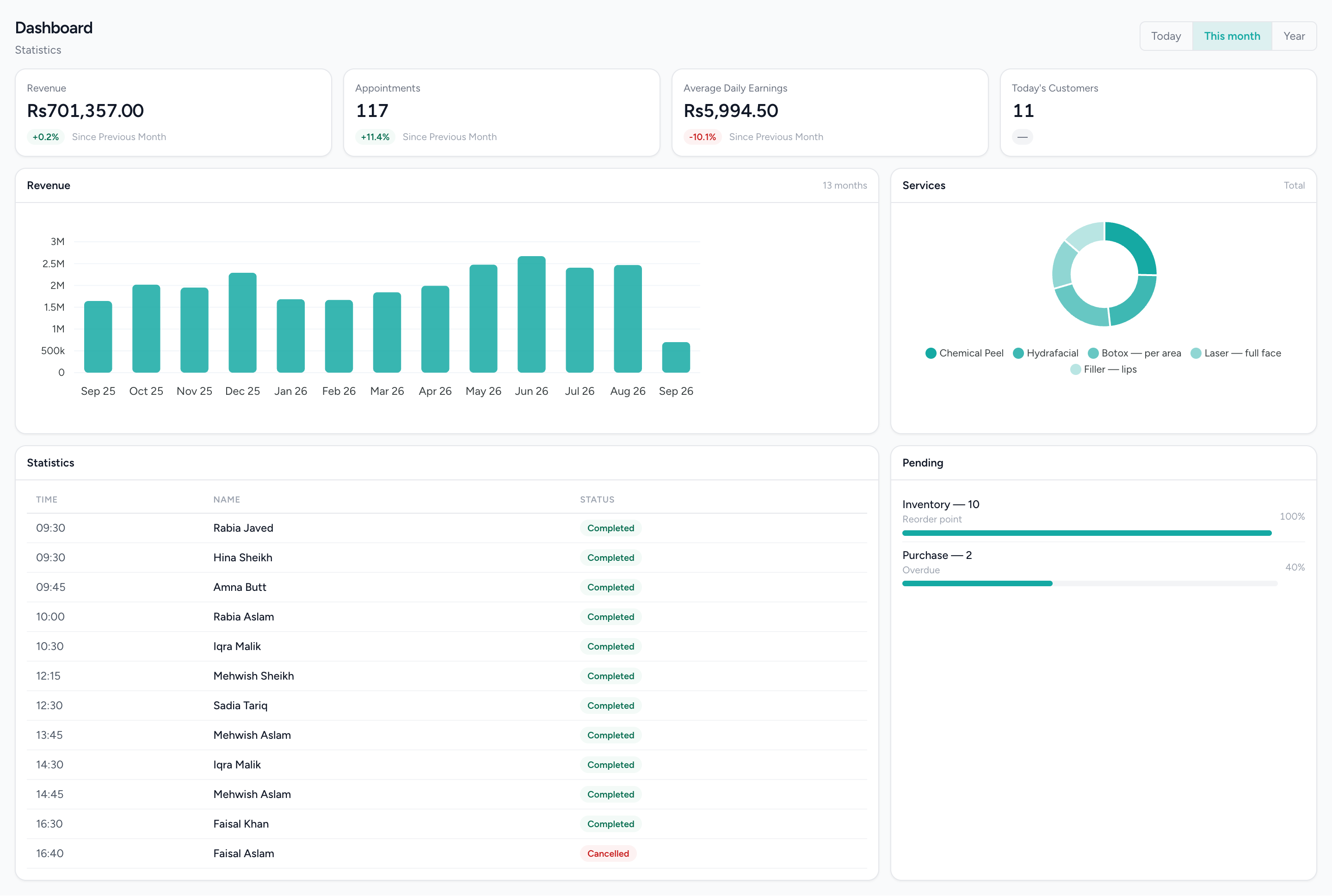
The branch, once everything has synced
What the office sees after the tills reconnect: revenue and order KPIs, the trend and the top items — the same records the counters kept while offline.
What changes
The queue moves whatever the router is doing
The catalogue, prices, staff and customers are on the terminal, and so is the order once it is taken. A dropped connection is something the person at the counter finds out about later, if at all.
Nothing typed in twice
What happened offline goes up when the connection returns, each record once, matched on its own identifier. The pad by the till can go.
Two counters that agree without a server
Open orders and the day are shared over your own network, with a coordinator the terminals choose between themselves. The second counter is useful precisely when the connection is not.
A failure with a known shape
A counter going down is a counter going down. The others keep the day, keep selling and re-elect, and a payment taken twice is a question put to a person rather than a silent correction.
A close that does not wait
The count, the variance and the per-counter report are built from the device, so the day ends when the shop does — not when the connection is back.
What it does not do
Worth knowing before a demo rather than after one.
- First activation needs the internet, and so does signing back in after someone signs fully out. The offline claim is about a terminal that has been set up.
- Voiding or refunding an order needs the cloud today, because the list of reasons is fetched from the server before the reason picker opens. That is a known issue; every other counter action records locally.
- Offline means the internet. Several counters sharing a day and a tablet customer display both run over your own network, so that network needs to be up for those two things.
- There is no connectivity detector. Recovery after a drop takes up to a minute rather than being instant, and a record that has run out of retries is held on the device for someone to go looking — the ones that matter most raise a warning on screen.
- Cloud-side reports and the stock deduction for a sale happen when the order syncs, not at the moment of sale. Only the terminal's own day report is live while it is offline.
Questions about this workflow.
What owners ask before they move a live business onto a new platform.
Can I void or refund a sale while the internet is down?
Yes. The IMFlow360 till keeps its list of void and refund reasons, so voids and refunds work offline once the till has been online at least once. Sales, payments, cash movements and closing the drawer all work offline too.
If one till goes down, do the other tills keep working?
Yes. IMFlow360 tills in a branch share open orders and the business day, and if the till coordinating them goes down another takes over within seconds. If two tills take the same payment during the handover, it's flagged on screen for someone to sort out.
Does a brand-new till work offline straight away?
No. A new IMFlow360 till needs the internet to be set up and signed in the first time, and again if someone fully signs out. After that, it keeps your services, prices, staff and client list on the till and sells without a connection.
How do I know every offline sale reached IMFlow360?
Each sale is sent once and matched, so retries never create duplicates. Anything the till couldn't send stays on the till and keeps retrying, and the important items show a warning on screen.
Built for
- RetailShelf, till and books that agree: barcode sales, stock, purchasing and cash control.Read more
- RestaurantsOrders, cash and stock that agree at close, on tills that keep working offline.Read more
- GroceryHigh-volume barcode selling with purchasing, transfers and reorder points behind it.Read more
- Hair SalonsBuilt around the chair — stylists, colour services and the client who asks for one by name.Read more
See it against your own work
The on-device database, idempotent sync, clustering with coordinator election, and the counted close in full.