From booking to paid, without re-typing the customer
A booked-time business runs the same visit through three tools: a diary, a customer list and a till. IMFlow360 keeps it as one record from the moment it is booked to the moment the drawer closes on it.
How it usually goes
The booking is in a diary app, the customer is in a phone contact list, and the sale is on a till that has never heard of either. So the receptionist reads the name off one screen and types it into the next, and a mobile number typed slightly differently becomes a second customer.
The client mentions an allergy at the first visit and it is written on a card that stays at the desk. Six weeks later a different stylist is serving them, the card is not to hand, and the question is asked again as if it were the first time.
At the end of the day the diary says twenty-two appointments, the till says nineteen sales, and nobody can say quickly which three were cancelled, which were served and not rung up, and which were rung up under a different name.
One guest, one record, from the diary to the drawer
The appointment that is booked is the order that is paid. Nothing below asks anybody to type a name a second time.
Where the day starts
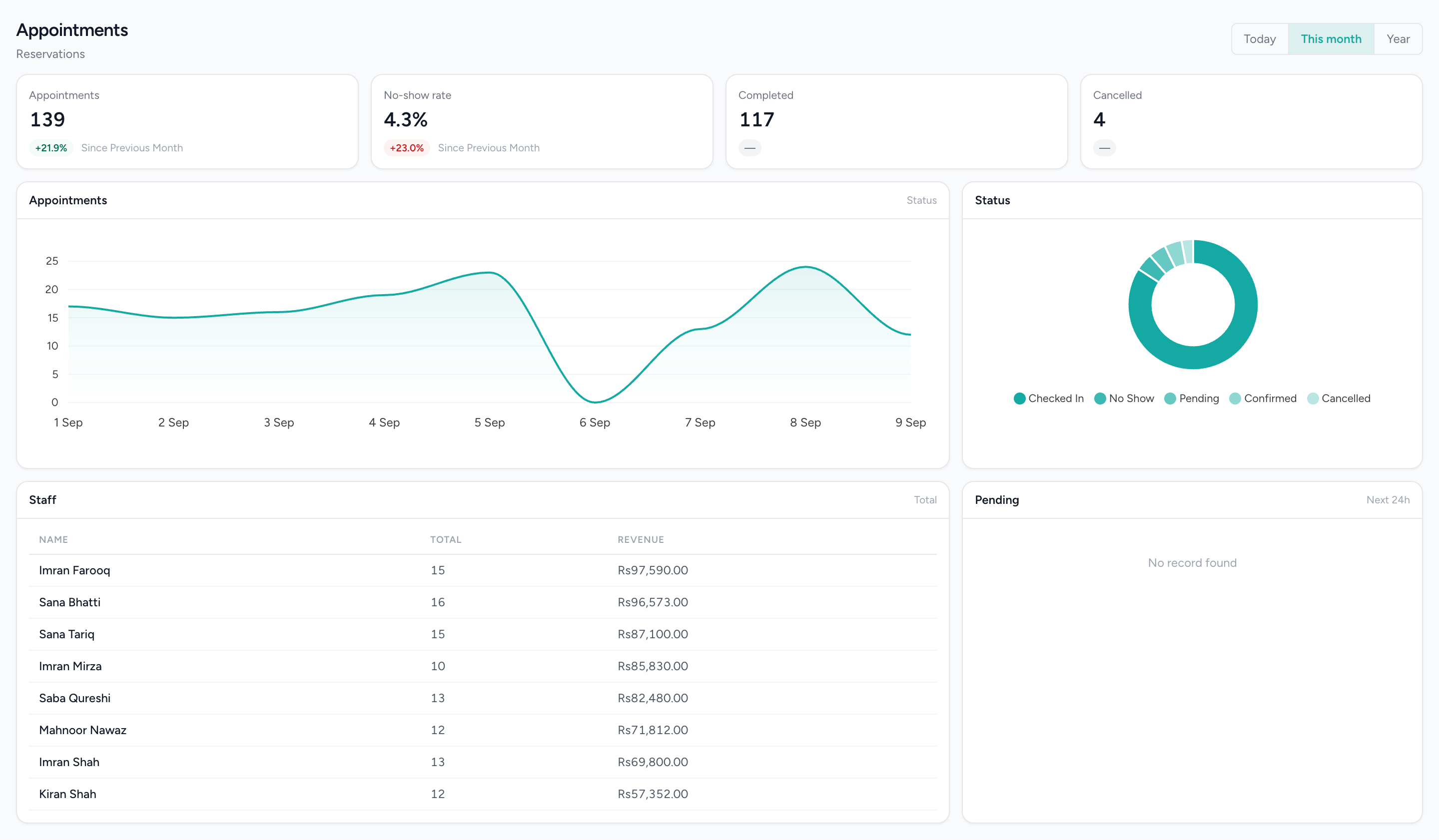
Staff columns, blocks placed by time and coloured by status, and the hours the business is open. What is booked here is what the till sees when the client arrives.
What changes
The customer is typed once
The booking, the order, the payment, the rating and the tags all hang off one customer row. The name entered at booking is the name on the receipt, and the till looks the guest up in the customer book it holds on the device, with the connection up or not.
The clash is caught at the desk
A double-booking is refused or warned about as the booking is made, from the front desk and on the till alike. Leave and holidays are shown before you book over them rather than discovered on the morning.
The diary and the till agree
Every appointment is an order and every order is on the diary, so the count of what was booked, served and paid comes from one list. A booking with no recorded length is drawn at an assumed hour and marked as an estimate, not passed off as a fact.
Paid means collected
An order shows paid only when the recorded payments cover it. A deposit and a balance are two lines against the same visit, and a booking paid through IMBeautyGlow, where that is switched on, arrives on the till already settled.
The visit leaves a trace
A star rating per person, an allergy tag that is still there next time, and a thank-you by email once the visit is marked complete. The next visit starts from what the last one recorded.
What it does not do
Worth knowing before a demo rather than after one.
- Online payment exists only at booking through IMBeautyGlow via PayFast, where the business has switched it on, and for the full amount. There is no card processing at the till: a card or wallet payment taken on your own machine is recorded, not authorised, here.
- The day-before reminder and the post-visit thank-you go out by email only, with push for IMBeautyGlow users. There is no SMS channel and no WhatsApp sending, and a booking taken at the front desk is not confirmed by email today.
- The diary warns on approved leave and holidays. It does not read a future rota, so it cannot say who is scheduled next Tuesday, and the clash rule is per staff member, not per chair or room.
- Posting the sale to the ledger is switched on per deployment, not automatic. Until it is, only the cost of sales for product lines posts, and a service-only visit produces no ledger entry.
- There is no loyalty scheme: no points, rewards or tiers. The customer record reports that balance as unavailable rather than showing a figure that was never earned.
Questions about this workflow.
What owners ask before they move a live business onto a new platform.
Does the till already know the client when they arrive for their appointment?
Yes. The booking is linked to the client's IMFlow360 profile, so the till picks up the same record with their allergies and preferences, even without internet. Nothing has to be typed in twice.
If a client pays online when booking, does the till show it as paid?
Yes, when online payment is switched on. A booking paid through IMBeautyGlow via PayFast arrives at the IMFlow360 till already marked paid. Otherwise the booking is paid at the counter, like one made in person.
Can clients pay a deposit online and the rest after the service?
Not online yet: online payment through IMBeautyGlow is for the full amount. At the salon, the IMFlow360 till can take a deposit when the booking is made and the balance after the service, both recorded on the same order.
Does a paid appointment go into the accounts on its own?
Partly. Product costs go into your accounts as each sale reaches IMFlow360, while recording the sale itself as revenue is a setting that's off by default. Until it's switched on, the till's takings show in your sales reports and the invoices you raise feed your accounts.
Powered by
- AppointmentsA diary that knows service duration, leave and clashes before they happen.Read more
- CustomersOne record per customer: every visit, order, package and rating against it.Read more
- HR & PayrollRoles, shifts, attendance, leave, documents, hiring and payroll runs.Read more
- Point of SaleOffline-capable tills that cluster over your own network, with drawer control and PIN-gated voids.Read more
- Analytics & ReportingSales, staff and stock reports scoped to the branch you are in, and the numbers behind them.Read more
Built for
- Hair SalonsBuilt around the chair — stylists, colour services and the client who asks for one by name.Read more
- Spas & WellnessRooms and therapists booked as one, with prepaid courses on the customer record.Read more
- Aesthetic ClinicsCourses of treatment across several visits, with the room and the practitioner booked together.Read more
- DentalThe business side of a practice: the diary, the front desk and the books — not the charting.Read more
- Appointment BusinessesAnything whose day is a diary — clinics, studios, tutors, workshops.Read more
Related solutions
- Front Desk & Walk-InsWalk-ins and bookings on one board, with who is free visible from the desk.Read more
- Customer RetentionKnow every customer the second time as well as the first.Read more
- Workforce OperationsRota, attendance, leave and payroll in the system that already knows who sold what.Read more
See it against your own work
Staff columns, the double-booking setting, leave and holiday warnings, and the booking API in full.