Run five branches like one business, and read them like five
A second branch is where a system built for one counter starts to lie: stock borrowed from a shelf that is not there, a manager who can see everything or nothing, and a P&L that has to be pulled apart by hand. This is the workflow for a business that has become several.
How it usually goes
The stock figure is one number for the whole business. Gulberg shows twelve of something and has none, because the twelve are in DHA, and the customer is told to come back tomorrow.
Every manager logs in as the owner, because there is no other way to give them what they need. Nobody can say afterwards who discounted what, or at which branch.
And at month end the accountant asks which branch made money. The answer is a spreadsheet built from three exports and a memory of which staff worked where.
From one login to a P&L per branch
Branch is a scope almost every screen respects, enforced by one mechanism, so the same rule holds for orders, stock, staff and reports.
One branch at a time, on purpose
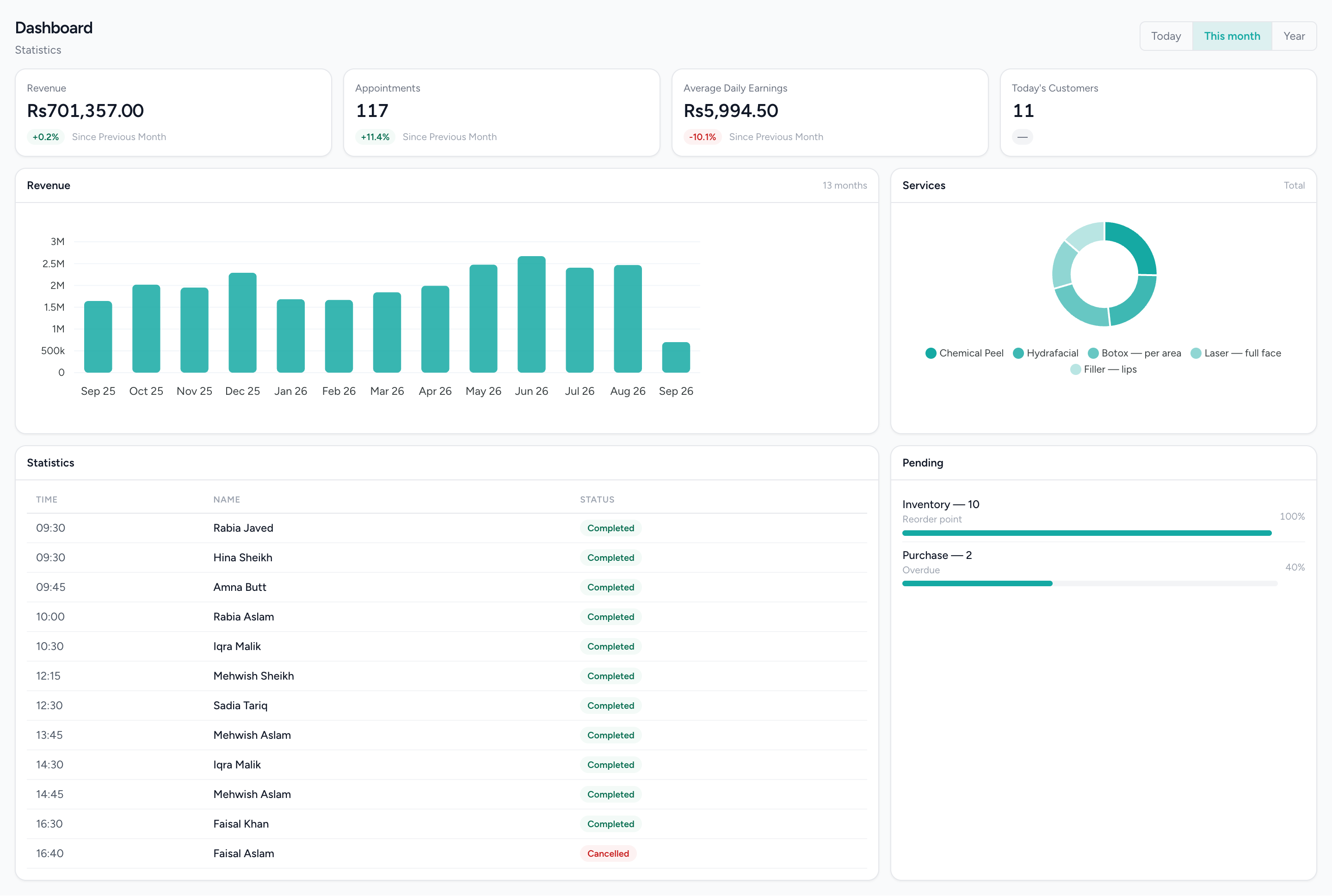
Every figure here is scoped to the branch selected, the same scope every screen respects. Switch the branch and the whole page follows.
What changes
A stock figure you can promise on
The quantity a branch sees is that branch’s own shelf. A customer told there are twelve is told about the twelve in the building.
Managers who see their branch
A manager works inside the branch their account is assigned to, under a role named for the sector, and what they do is recorded against their own account — not the owner’s login.
The owner switches; nobody else needs to
One click moves the Admin account between branches. Everyone else has one branch and never needs a switcher.
Hours read against the right shift
A late clock-in reads against the schedule that branch actually set, not a business-wide average.
A P&L per location, from the same books
Profit and loss by branch, and receivables and payables by branch, come off the one ledger every branch posts to. No spreadsheet is built from three exports.
A group on one login, set up with you
Two businesses under one owner can be linked so an operator works across both, with a real permission check each time they cross. That link is set up with you today, not from a screen in your dashboard.
What it does not do
Worth knowing before a demo rather than after one.
- One price list for the whole business. Prices are set once and every branch sells at them; per-branch pricing is not built.
- One ledger per business. The branch P&L is a report over it. There is no consolidation across separately registered businesses, even when they are linked on one login.
- The branch switcher belongs to the business’s Admin account, and sits behind an entitlement even for them. Managers and staff work in one branch and do not switch.
- The manager role is scoped to the business rather than walled to one branch by itself. Check what a particular manager account can see before treating it as a hard per-branch boundary.
- There is no all-branches operational dashboard. Day-to-day sales and appointment views default to the branch you are in; only Finance’s P&L and receivables break out by branch, plus the business-wide low-stock and overdue-bill alerts.
Questions about this workflow.
What owners ask before they move a live business onto a new platform.
Does each branch open and close its own day?
Yes. Tills in a branch share one business day, each till counts its own cash drawer, and the branch closes when the last drawer does. Every branch runs its own day independently.
Can I see a Profit and Loss for each branch?
Yes. IMFlow360 breaks out Profit and Loss, receivables and payables by branch from one set of books. Separate businesses keep separate accounts and aren't combined into one group report.
Powered by
- Multi-LocationOne login, branch-scoped stock, staff and figures, and a P&L per location.Read more
- InventoryStock that moves when a sale syncs, with goods received, transfers and reorder points.Read more
- HR & PayrollRoles, shifts, attendance, leave, documents, hiring and payroll runs.Read more
- Accounting & FinanceA real double-entry ledger: chart of accounts, vouchers, periods, and the statements that come off them.Read more
- Analytics & ReportingSales, staff and stock reports scoped to the branch you are in, and the numbers behind them.Read more
Built for
- RetailShelf, till and books that agree: barcode sales, stock, purchasing and cash control.Read more
- Hair SalonsBuilt around the chair — stylists, colour services and the client who asks for one by name.Read more
- RestaurantsOrders, cash and stock that agree at close, on tills that keep working offline.Read more
- GroceryHigh-volume barcode selling with purchasing, transfers and reorder points behind it.Read more
See it against your own work
What is genuinely separate per branch, what is shared on purpose, and the switcher, roles and hours report in full.