Know who is working, and how the work is going.
Rotas, clock-ins, roles and permissions in the same system that records what each person sold and served — so performance is a report, not an argument.
- Roles and permissions down to the individual action
- Shifts, attendance and time cards on the till
- Sales and service performance per person, per branch
From rota to review, in one record.
Nothing here is re-entered. Every number comes from something that already happened.
- 1
Schedule
Set availability, shifts and days off per branch.
- 2
Clock in
Staff start their day on the till, not on paper.
- 3
Serve and sell
Work is attributed as it happens, without a second step.
- 4
Measure
Services, retail attach, rebooking and takings per person.
- 5
Review
Targets and trends you can hold a fair conversation over.
What a manager actually needs.
Designed for businesses where the team is the product, and the rota is the constraint.
Staff profiles
Skills, services they can deliver, branches they work at, and their working pattern.
Shifts and availability
Build the week, handle swaps and days off, and see the gaps before the customer does.
Attendance and time cards
Clock in and out on the till, with breaks and a record you can run payroll against.
Roles and permissions
Who can discount, void, refund, close the day or see margin — decided per role, per branch.
Performance
Sales, services, retail attach rate and rebooking rate per person, compared fairly.
Multi-branch teams
One person, several locations, with the right permissions in each of them.
The team layer touches everything.
Which is exactly why it should not live in a separate rota app.
Appointments
Availability drives what a customer can actually book.
Point of Sale
Each sale carries the person who made it.
Payments
Tips and day close are attributed to the right till and person.
Analytics
Team reporting reads the transactions, not a summary.
Multi-Location
Permissions and rotas follow the branch structure.
- Action-levelPermissions, not just user levels
- On-tillClock-in and attendance records
- Per personService, retail and rebooking performance
- Multi-branchOne profile across every location
Questions owners ask.
The answers a decision-maker needs before booking a demo.
Can I stop staff giving discounts without a manager's approval?
Yes. Switch on the manager PIN and every manual discount, price change and void on the IMFlow360 till needs it, and refunds can only be done by a manager or the owner. Offers and coupon codes you've set up in advance don't need the PIN.
Does IMFlow360 run payroll?
Yes. IMFlow360 runs payroll with salary structures, additions and deductions, approval and payment, and payroll can be posted to your accounts when that's switched on. Pay is calculated from your HR attendance sheets, not from till sales.
How does IMFlow360 handle tips?
Tips added on the customer display are shared equally among the tip-eligible staff who served the client, and at the till staff can set each person's share. Every tip is recorded per staff member on each order and reported separately; tips aren't added to payroll.
Can I see how each staff member is performing?
Yes. IMFlow360 reports sales and services by staff member and hours worked from clock-ins, all from the same records the till creates, so performance is a report rather than a guess.
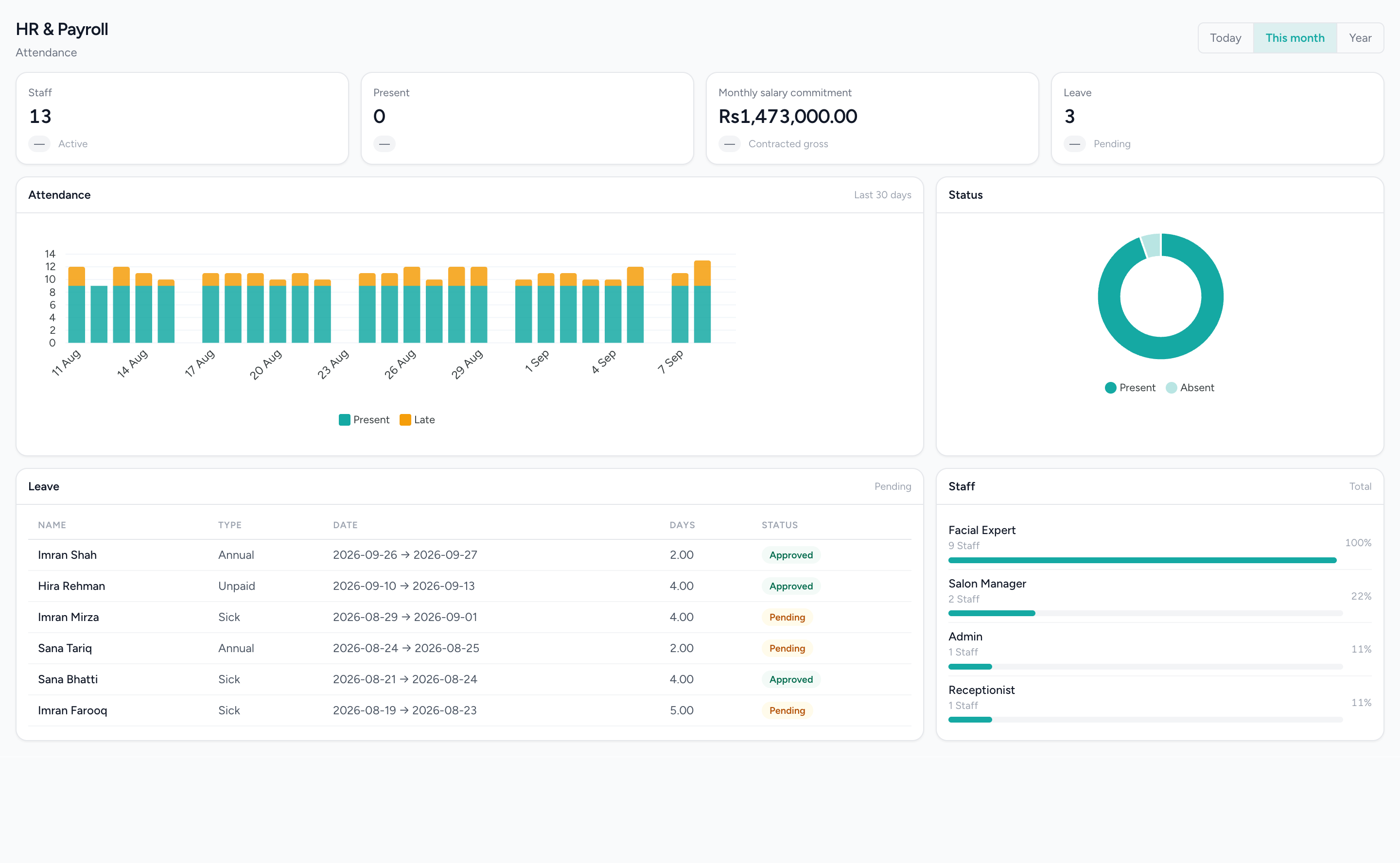
Attendance, leave and what the rota commits you to
Thirty days of attendance with lateness stacked on it, the pending leave queue, and the contracted salary total — labelled as a commitment, because it is not a payroll run.
Used in these solutions
Popular with
- Hair SalonsBuilt around the chair — stylists, colour services and the client who asks for one by name.Read more
- RestaurantsOrders, cash and stock that agree at close, on tills that keep working offline.Read more
- RetailShelf, till and books that agree: barcode sales, stock, purchasing and cash control.Read more
- Spas & WellnessRooms and therapists booked as one, with prepaid courses on the customer record.Read more
Related capabilities
- AppointmentsA diary that knows service duration, leave and clashes before they happen.Read more
- Analytics & ReportingSales, staff and stock reports scoped to the branch you are in, and the numbers behind them.Read more
- Accounting & FinanceA real double-entry ledger: chart of accounts, vouchers, periods, and the statements that come off them.Read more
- Projects & TasksA project register and a board for the work that is not a booking.Read more
Run the rota and the results in one place.
See how scheduling, attendance and performance connect on a real week.