Scale
Multi-Location
Branch is not a label on a report here. It's a scope almost every screen respects, enforced the same way whether a business runs one counter or twelve.
What actually changes at the branch line
Some things are genuinely separate per location. Some are shared across the whole business on purpose. Both are stated here, not left for you to find out.
A real scope, not a filter bolted on
Every screen that reads branch-scoped data — orders, stock, staff, reports — has that scope enforced by the same mechanism rather than reimplemented per screen. Only a platform account sees across every branch by default.
Stock stays where it is
On-hand quantity is tracked per branch, and per warehouse within a branch. One location selling through its stock does not quietly draw down another's shelf.
One price list for the whole business
Said as a limit, not a feature: prices are set once for the business and every branch sees them. If one location needs to charge differently from another, that is not built yet.
Switching branches is the owner's action
The business's Admin account can switch which branch they're working in from a dropdown, in one click. Everyone else — managers, staff — works inside the branch their own account is assigned to; there is no switcher for them to reach for.
A manager role that already speaks your sector
The same manager tier is seeded under a different name depending on what the business does — Salon Manager, Clinic Manager, Store Manager — rather than one generic label pretending every business runs the same way.
Staff hours read against their own branch
The hours report compares worked time to the schedule that specific branch set, not a business-wide average — so a late clock-in reads against the shift it was actually late for.
A group can share one login — set up with you, not by you
Two businesses under one owner can be linked so an operator can work across both, with a real permission check applied each time they cross from one to the other. That link is something we set up with you today, not a self-service screen in your own dashboard.
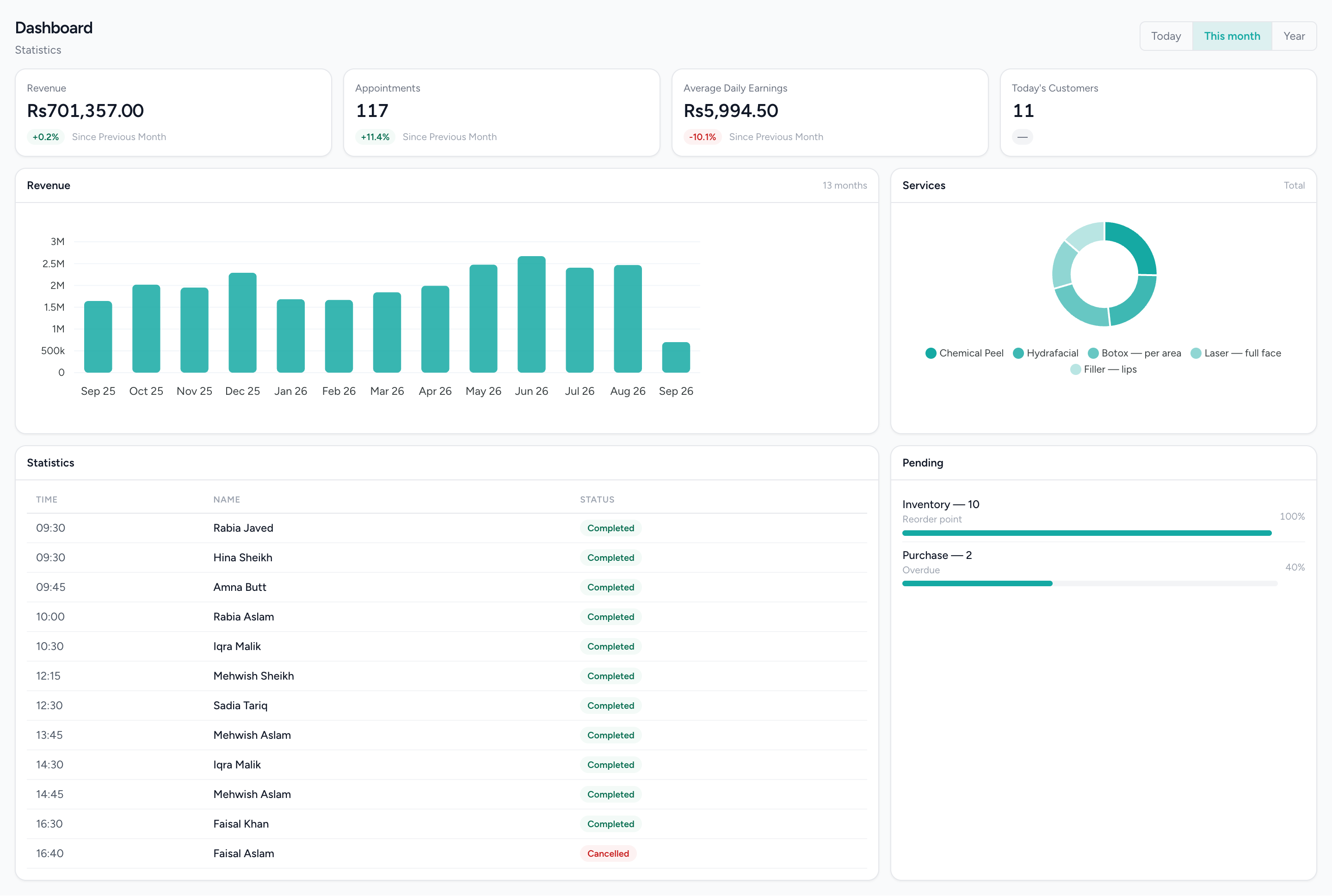
The dashboard for the branch you are in
Orders and sales figures scoped to the branch currently selected, the same scope every other screen respects.
Questions people actually ask.
The answers a decision-maker needs before booking a demo.
Can I set different prices at different branches in IMFlow360?
Not yet. Prices are set once for the whole business, and every branch uses the same price list.
Who can switch between branches in IMFlow360?
Only the business owner's Admin account, on plans that include branch switching. All other staff, managers included, work in the branch their account belongs to.
Is stock shared between branches automatically?
No. Each branch, and each warehouse within it, keeps its own stock count, so one branch never quietly uses another's stock. Stock moves between branches through a recorded transfer.
Can I run more than one business under one IMFlow360 login?
Yes, when the businesses are linked. We set up the link with you, a permission check applies every time you switch between them, and each business keeps its own accounts.
Can I see reports for all my branches together?
For some reports. Profit and Loss and receivables can be broken out branch by branch, and stock, purchasing and finance cover the whole business. Daily sales and appointment dashboards show one branch at a time, while low-stock and overdue-bill alerts cover every branch.
Can I restrict a branch manager to their own branch?
Partly. Staff accounts, managers included, see only their own branch's bookings, sales and till reports. Stock, purchasing and accounts cover the whole business, so use role permissions to limit those if a manager shouldn't see them.
Popular with
- RetailShelf, till and books that agree: barcode sales, stock, purchasing and cash control.Read more
- Hair SalonsBuilt around the chair — stylists, colour services and the client who asks for one by name.Read more
- RestaurantsOrders, cash and stock that agree at close, on tills that keep working offline.Read more
- GroceryHigh-volume barcode selling with purchasing, transfers and reorder points behind it.Read more
Related capabilities
- InventoryStock that moves when a sale syncs, with goods received, transfers and reorder points.Read more
- HR & PayrollRoles, shifts, attendance, leave, documents, hiring and payroll runs.Read more
- Accounting & FinanceA real double-entry ledger: chart of accounts, vouchers, periods, and the statements that come off them.Read more
- Analytics & ReportingSales, staff and stock reports scoped to the branch you are in, and the numbers behind them.Read more
One login, however many doors you open.
We will show you the module on a real dataset and tell you plainly what it does not do yet. Email sales@imflow360.com or book a walkthrough.