Your books, in the same system as your tills
Most point-of-sale systems end at the receipt and hand the accountant a CSV, so the books live somewhere else and run months behind. This is the month-end routine when the ledger is in the same system as the documents that feed it.
How it usually goes
The books are kept outside the system, by someone who gets a folder of invoices and a takings summary at the end of the month and rebuilds what happened from them. Every question about last quarter is a question for that person, and the answer takes a week.
Supplier bills are paid before they are recorded, customer invoices are chased from memory, and nobody can say what is owed in either direction without adding up a list. A trial balance is something that happens once a year, under pressure.
And when a figure looks wrong, there is no way to tell whether it is the sales report or the accounts that are out, because they were built from different piles of paper by different people.
From a seeded chart to a closed month
The documents that move money post their own entries; what is left is journaled by hand, and the month closes on statements read from the same ledger.
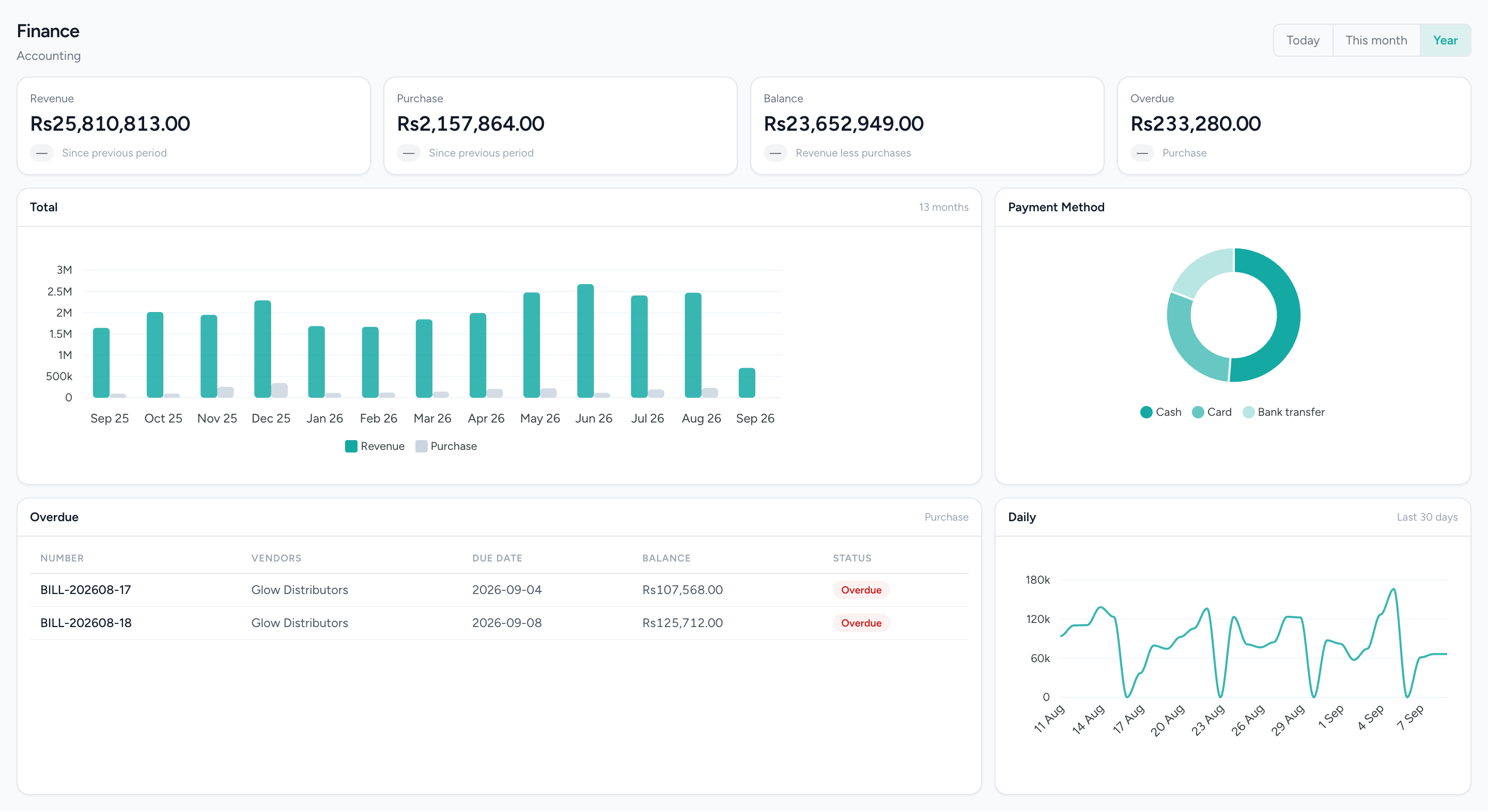
Revenue in, purchases out, and what is owed
Thirteen months of revenue against supplier bills, how customers paid, and the bills that are late — read from the same ledger the statements come off.
What changes
A ledger that fills itself from the documents
Invoices, cash invoices, credit notes, payments received, bills, debit notes and payments made each post when they are issued, approved or recorded. The bookkeeping step for those is the document itself.
A month you can close
Balanced entries are enforced by the software rather than by whoever is careful that week, the trial balance says out loud when it does not balance, and a period lock keeps a signed-off month that way.
Two kinds of number, kept apart on purpose
The sales and stock reports in Analytics & Reporting read the orders and drawers as they sync from the tills. The financial statements read the ledger. When a sale has posted the two agree; when posting is not switched on, the sales report is the takings and the ledger carries what the invoices say — and the page tells you which one you are looking at.
Receivables and payables you can act on
Who is late and by how much, from the statements and the aged reports, rather than from a list somebody keeps. Chasing is still a person's job — but the person knows who to call.
A branch you can read on its own
Profit & Loss by branch, and the receivables and payables reports by branch, over the one ledger the business keeps.
What it does not do
Worth knowing before a demo rather than after one.
- Posting till sales to the ledger is switched on per business, not on by default. Only cost of sales for product lines posts on its own, so a service-only sale produces no ledger entry until posting is switched on.
- No bank reconciliation: there is no statement import, no bank feed and no matching. Bank and cash accounts are kept from the entries you and the documents post.
- No expenses module. Spend enters through vendor bills or a manual journal voucher.
- No tax filing or e-invoicing. Output and input tax are posted and reported; nothing is submitted to any authority.
- Invoice reminders are logged, not sent. One ledger per business — branch P&L is a report over it, and there is no consolidation across separate businesses.
Questions about this workflow.
What owners ask before they move a live business onto a new platform.
Why doesn't my sales report match my Profit and Loss?
Because they measure different things. The sales report shows what the tills took; Profit and Loss shows your accounts. They agree once till sales are recorded in the accounts, which is a setting that's off by default; until then, Profit and Loss reflects your invoices, bills and journal entries.
Can I lock a month after my accountant has closed it?
Not yet. Month locking isn't switched on in IMFlow360 today. Entries can't be posted unless debits and credits balance, and the Trial Balance flags any difference, so the books stay consistent.
Does IMFlow360 have an expenses module?
Not a separate one. Everyday spending goes into your accounts through a supplier bill, which records each line as stock, purchases or an expense when approved, or through a journal entry. Monthly costs like rent can be set up as recurring journal entries.
Can I bring my existing balances into IMFlow360?
Yes. Enter your opening balances account by account on a dedicated screen and check them on a preview before anything is posted. The chart of accounts comes ready-made for your industry, so the balances land on accounts that already exist.
Powered by
- Accounting & FinanceA real double-entry ledger: chart of accounts, vouchers, periods, and the statements that come off them.Read more
- Sales & InvoicingEstimates, sales orders, invoices, credit notes and payments received, with statements and aging.Read more
- PurchasingVendors, quotations, purchase orders, goods receipts, bills and payments made.Read more
- Analytics & ReportingSales, staff and stock reports scoped to the branch you are in, and the numbers behind them.Read more
Built for
- RetailShelf, till and books that agree: barcode sales, stock, purchasing and cash control.Read more
- RestaurantsOrders, cash and stock that agree at close, on tills that keep working offline.Read more
- Hair SalonsBuilt around the chair — stylists, colour services and the client who asks for one by name.Read more
- Spas & WellnessRooms and therapists booked as one, with prepaid courses on the customer record.Read more
- DentalThe business side of a practice: the diary, the front desk and the books — not the charting.Read more
See it against your own work
The chart of accounts, journal vouchers, banking, recurring entries and every statement in full.